A new way to animate type in After Effects

Animate type
by feel.

RiGlyph turns After Effects text animators into a live, playable rig—so you can shape timing, movement and character while it plays.

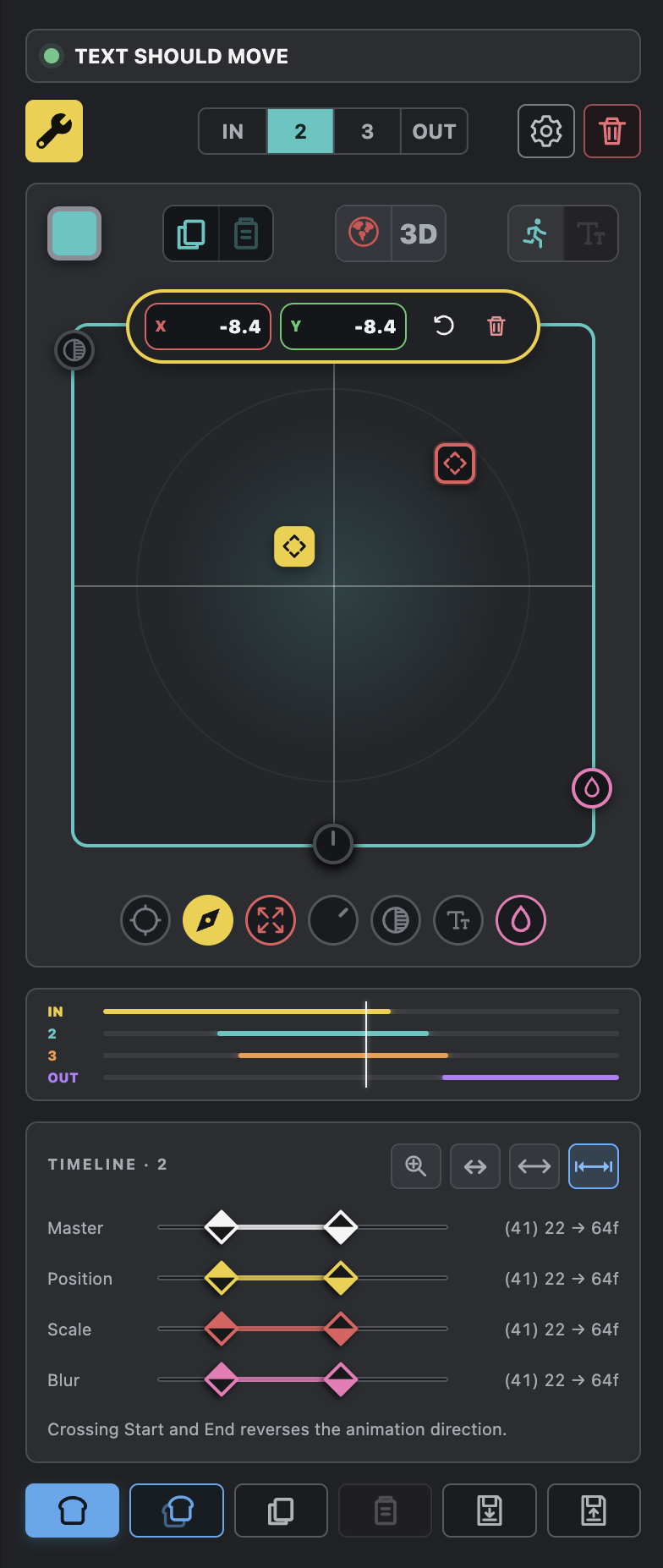
RiGlyph Stage 2 interface
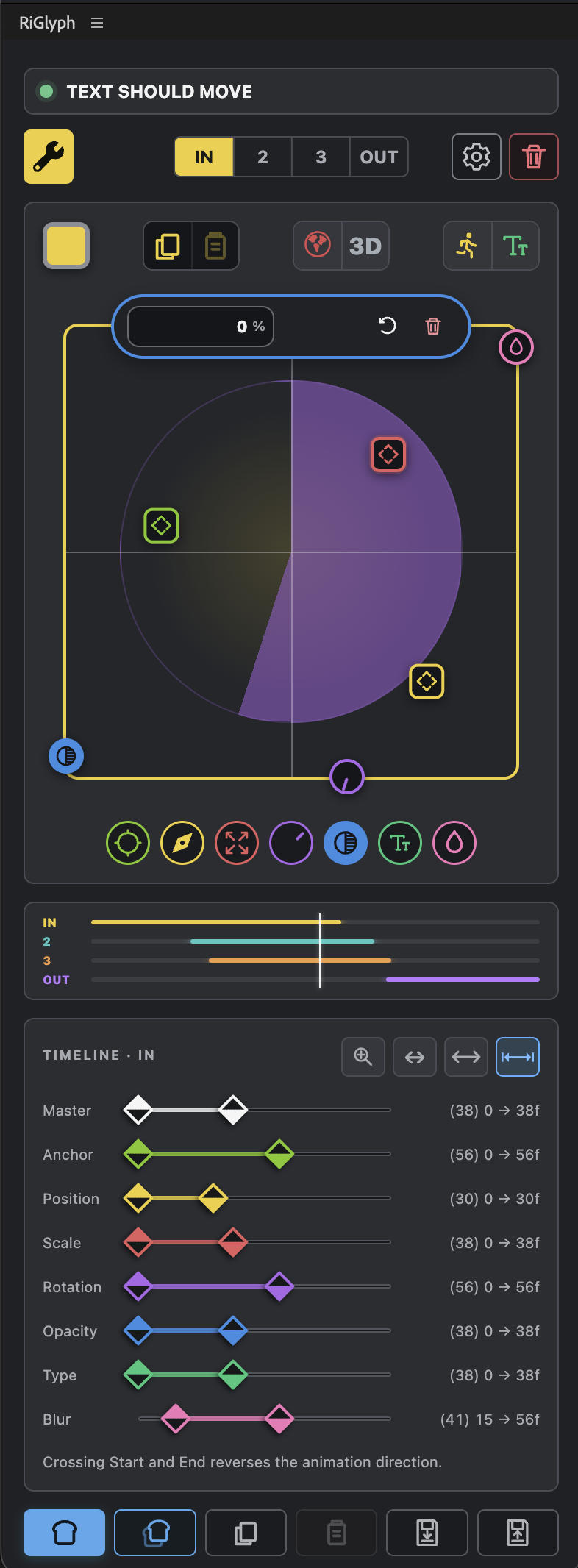
Complete RiGlyph interface with the Control Deck and visual timeline
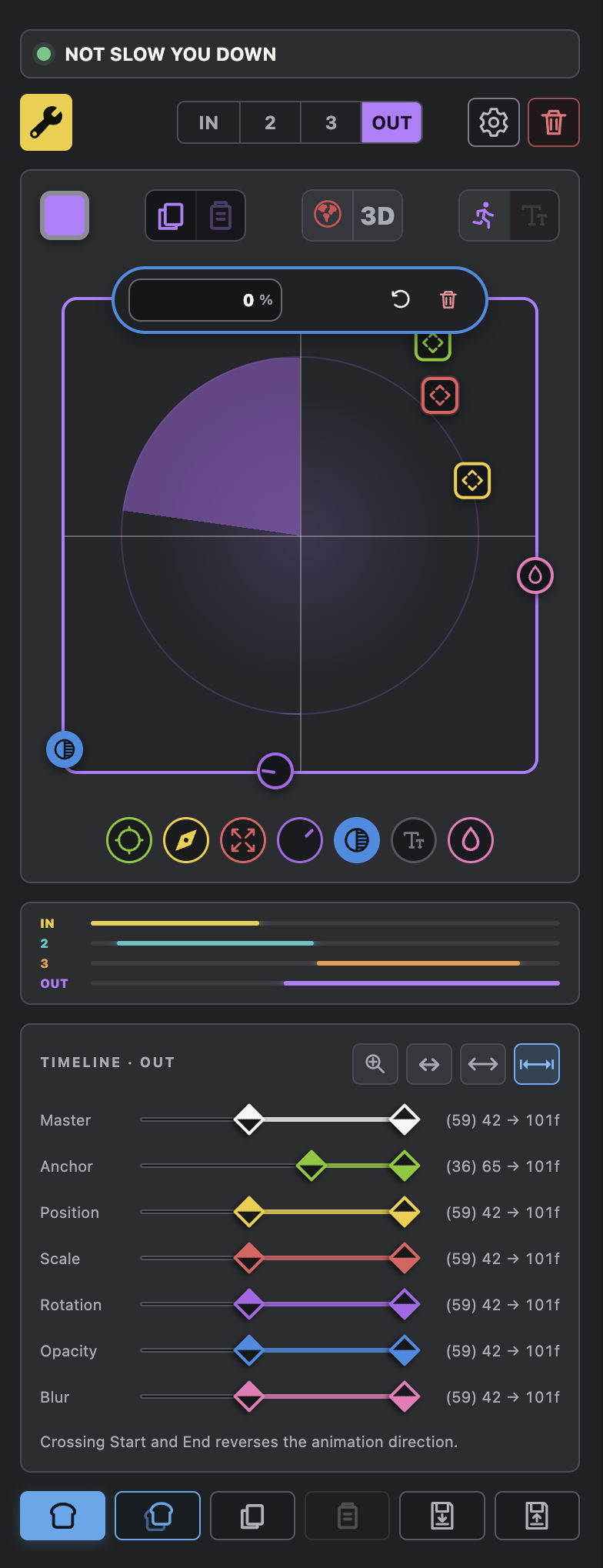
RiGlyph OUT stage interface
THE INTERFACEFour stages. One live rig.
Built for motion designers

01 / WHY RIGLYPH

Text animators are powerful.
Using them shouldn’t feel painful.

RiGlyph replaces tiny parameters and nested menus with a visual control surface built for movement.

Adjust position, scale, rotation, opacity, blur and type while your animation plays. The rig stays live while you explore, then bakes back to editable After Effects animation when you are ready.

02 / PRODUCT OVERVIEW

Meet RiGlyph in motion.

A fast look at the complete workflow, from a plain text layer to a finished animation.

03 / A PLAYABLE RIG

Move the idea.
See it answer.

The control deck makes type feel physical. Drag a puck, shape a transition and keep watching the result—without stopping to hunt through the timeline.

  • Live control during playback
  • Clear IN, 2, 3 and OUT stages
  • Sweep and Pulse animation modes
  • Compact, editable baking
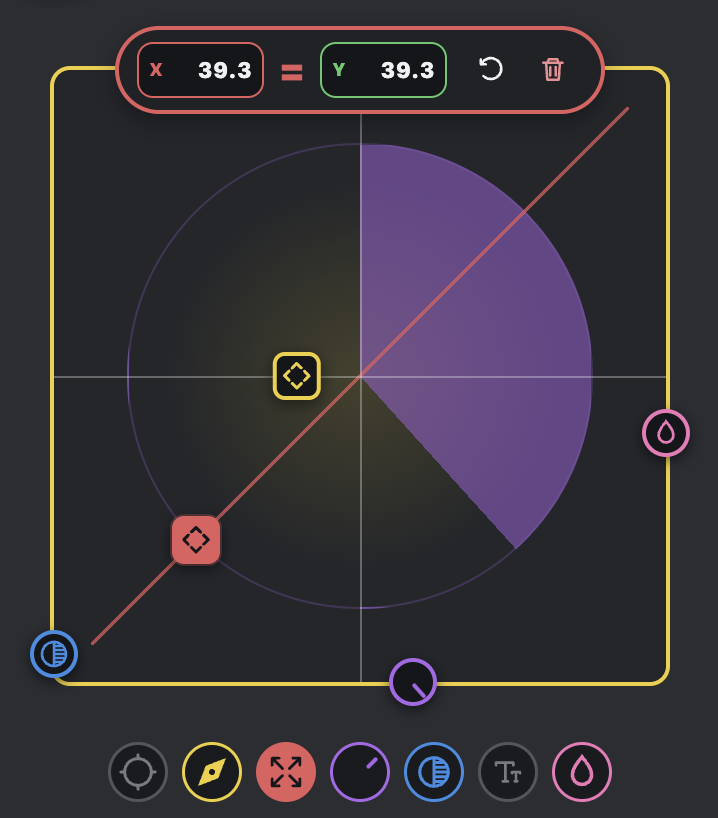
RiGlyph Control Deck with position, scale, rotation, opacity and blur controls

01 / CONTROL DECK

A live surface for shaping motion.

The Control Deck brings RiGlyph’s core animation properties into one visual workspace. Position, scale, rotation, opacity, blur and anchor-point adjustments are represented by clear, colour-coded controllers rather than nested After Effects parameters.

Select a property and manipulate it directly while the animation plays. The value inspector provides precise feedback and manual entry when you need it, while the joystick keeps experimentation immediate and physical.
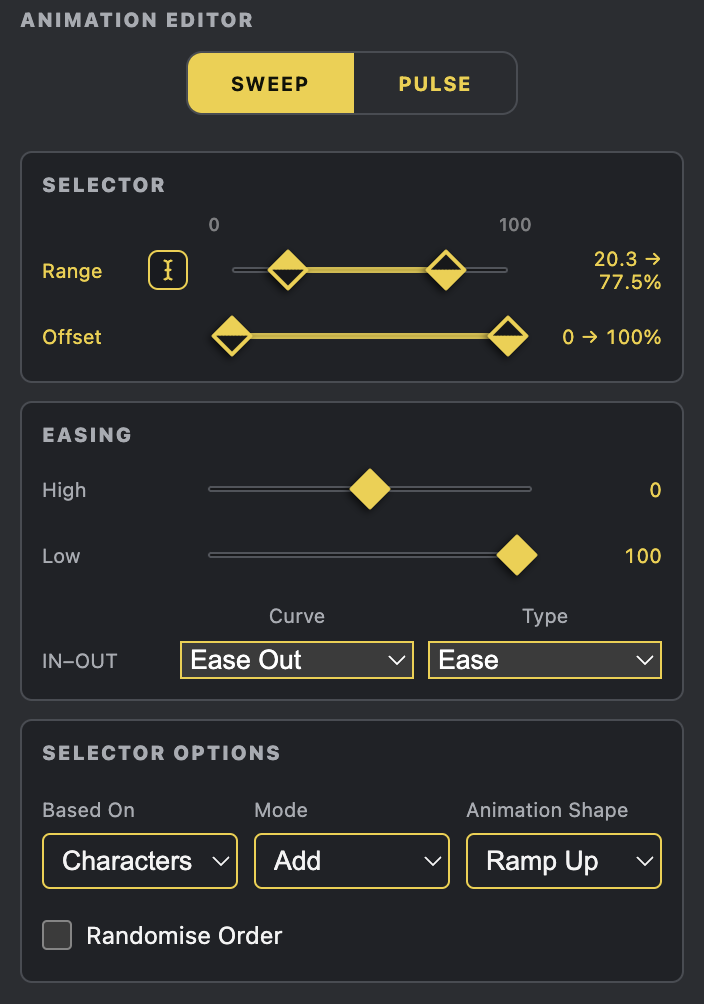
RiGlyph Animation Editor showing Sweep, Pulse, range and easing controls

02 / ANIMATION EDITOR

The animation logic, made legible.

The Animation Editor controls how each stage travels through the text. Sweep creates a directional transition across the selection; Pulse shapes a contained change that can rise and fall within the stage.

Range, easing, curve, selector mode and animation shape are gathered into one readable page. You can work by character, word or line and refine the feel of a transition without searching through multiple text animator groups.

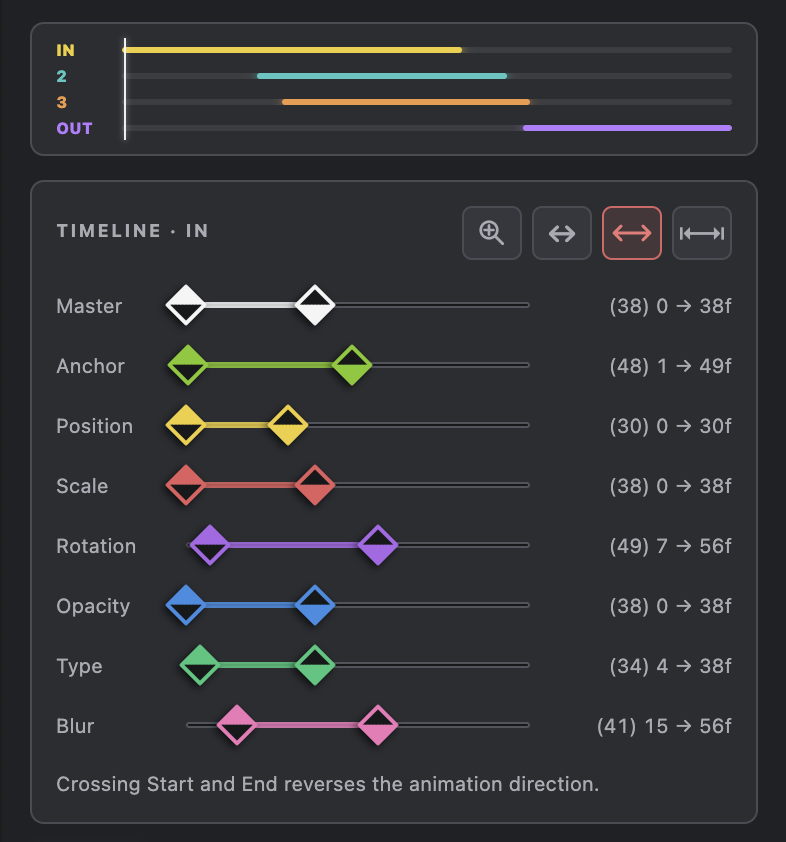
RiGlyph visual timeline with colour-coded property timing

03 / VISUAL TIMELINE

Timing you can read at a glance.

The mini timeline shows how the IN, 2, 3 and OUT stages relate across the complete layer. Beneath it, every animated property receives its own colour-coded start and end markers, making complex timing relationships visible immediately.

Drag individual markers to refine a property, move master markers to reshape the stage, or cross the start and end points to reverse the animation. It provides detailed timing control without expanding the layer into a long stack of After Effects properties.

04 / THE FLOW

From text layer to finished motion.

Four steps, one uninterrupted creative loop.

01

Build

Select your text layer and turn it into a live RiGlyph rig.

02

Play

Keep playback running while you explore movement and timing.

03

Shape

Refine each stage with visual controls, ranges and easing.

04

Bake

Commit the result to clean, editable After Effects animation.

05 / BUILT DIFFERENTLY

Less interface anxiety.
More instinct.

PLAY

Designed for real-time decisions

RiGlyph keeps the feedback loop short, so motion can be judged in motion.

SEE

A visual language you can learn

Colour, position and state make a complex text rig legible at a glance.

KEEP

Your animation stays yours

Bake to native controls when the work is ready to hand off or refine.

06 / MADE BY SLINKY

Built inside the work,
not beside it.

RiGlyph grew from years of making motion design in After Effects—and from knowing exactly how much creative energy disappears into small, fiddly controls.

Meet Slinky

07 / COMPLETE TUTORIAL

Everything you need to build, play and bake.

A longer guided walkthrough will cover the Control Deck, animation stages, Sweep and Pulse, typography, timing, 3D and a clean handoff.

RiGlyphFull tutorial
coming soon.

Control Deck · stages · timing · typography · 3D · baking

08 / FAQ

The useful details.

Version 1

Make type move
like you mean it.

RiGlyph is being prepared for release. Watch the overview now and check back soon for availability.

Watch overview